
您現(xiàn)在的位置是:首頁 » python編程資訊
資訊內(nèi)容
用python和pygame游戲編程入門-控制角色移動(dòng)
極客小將2020-10-30-
如何使用鍵盤事件控制角色移動(dòng),解決只能按一下動(dòng)一下的問題,在鍵盤一直按下的狀態(tài),角色一直移動(dòng)。
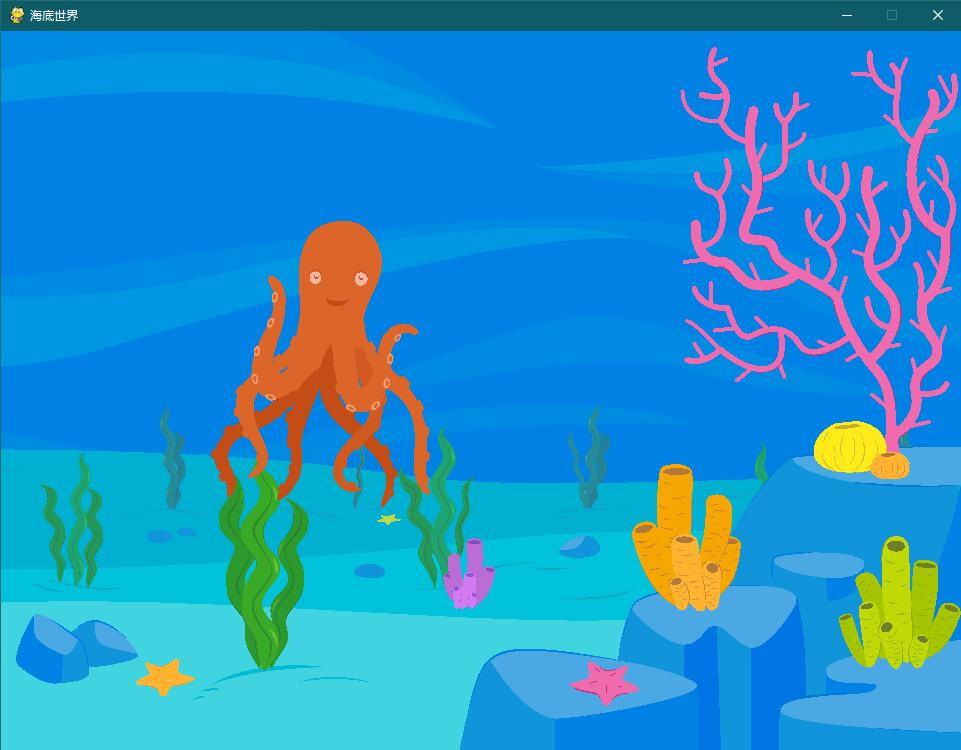
在上一節(jié)中我們知道了事件,以及如何捕捉鍵盤事件進(jìn)行響應(yīng),本屆我們結(jié)合第一節(jié)何上一節(jié)的內(nèi)容,做一個(gè)用鍵盤控制角色移動(dòng)的功能,代碼如下:
#!/usr/bin/env python
#指定圖像文件名稱
background_image_filename = './img/Underwater.png'
mouse_image_filename = './img/octopus.png'
#導(dǎo)入pygame庫(kù)
import pygame
#導(dǎo)入一些常用的函數(shù)和常量
from pygame.locals import *
#向sys模塊借一個(gè)exit函數(shù)用來退出程序
from sys import exit

#初始化pygame,為使用硬件做準(zhǔn)備
pygame.init()

 #創(chuàng)建了一個(gè)窗口
screen = pygame.display.set_mode((960, 720), 0, 32)
#設(shè)置窗口標(biāo)題
pygame.display.set_caption("海底世界")
#加載并轉(zhuǎn)換圖像
background = pygame.image.load(background_image_filename).convert()
kcursor = pygame.image.load(mouse_image_filename).convert_alpha()
#游戲主循環(huán)
x, y = 0, 0
move_x, move_y = 0, 0
while True:
    for event in pygame.event.get():
        if event.type == QUIT:
           exit()
        if event.type == KEYDOWN:
            #鍵盤有按下?
            if event.key == K_LEFT:
                #按下的是左方向鍵的話,把x坐標(biāo)減一
                move_x = -1
            elif event.key == K_RIGHT:
                #右方向鍵則加一
                move_x = 1
            elif event.key == K_UP:
                #類似了
                move_y = -1
            elif event.key == K_DOWN:
                move_y = 1
        elif event.type == KEYUP:
            #如果用戶放開了鍵盤,圖就不要?jiǎng)恿?
            move_x = 0
            move_y = 0
        #計(jì)算出新的坐標(biāo)
        x+= move_x
        y+= move_y

        screen.fill((0,0,0))
        screen.blit(background, (0,0))
        screen.blit(kcursor, (x,y))
        #在新的位置上畫圖
        pygame.display.update()
當(dāng)我們運(yùn)行這個(gè)程序的時(shí)候,按下方向鍵就可以把章魚移動(dòng),但是等等!為什么我只能按一下動(dòng)一下啊……
因?yàn)镵EYDOWN事件只有在你按下鍵的那一刻才發(fā)生一次,也就是for循環(huán)需要有事件發(fā)生才會(huì)再次執(zhí)行,你可以試試在按下方向鍵不松開的時(shí)候不停的移動(dòng)鼠標(biāo),這時(shí)候章魚就會(huì)一直移動(dòng)了。
啊??這么麻煩,怎么修改呢?
因?yàn)楫?dāng)你按下按鍵的時(shí)候變量值已經(jīng)進(jìn)行了修改,所以只需要把計(jì)算新坐標(biāo)后面的代碼縮進(jìn)調(diào)整一下,放在跟for循環(huán)并列的位置,這樣事件發(fā)生只會(huì)修改坐標(biāo)的變化數(shù)據(jù),不斷更新坐標(biāo)的任務(wù)就在while循環(huán)里執(zhí)行了。
修改后的代碼;
#!/usr/bin/env python
#指定圖像文件名稱
background_image_filename = './img/Underwater.png'
mouse_image_filename = './img/octopus.png'
#導(dǎo)入pygame庫(kù)
import pygame
#導(dǎo)入一些常用的函數(shù)和常量
from pygame.locals import *
#向sys模塊借一個(gè)exit函數(shù)用來退出程序
from sys import exit

#初始化pygame,為使用硬件做準(zhǔn)備
pygame.init()

 #創(chuàng)建了一個(gè)窗口
screen = pygame.display.set_mode((960, 720), 0, 32)
#設(shè)置窗口標(biāo)題
pygame.display.set_caption("海底世界")
#加載并轉(zhuǎn)換圖像
background = pygame.image.load(background_image_filename).convert()
kcursor = pygame.image.load(mouse_image_filename).convert_alpha()
#游戲主循環(huán)
x, y = 0, 0
move_x, move_y = 0, 0
while True:
    for event in pygame.event.get():
        if event.type == QUIT:
           exit()
        if event.type == KEYDOWN:
            #鍵盤有按下?
            if event.key == K_LEFT:
                #按下的是左方向鍵的話,把x坐標(biāo)減一
                move_x = -1
            elif event.key == K_RIGHT:
                #右方向鍵則加一
                move_x = 1
            elif event.key == K_UP:
                #類似了
                move_y = -1
            elif event.key == K_DOWN:
                move_y = 1
        elif event.type == KEYUP:
            #如果用戶放開了鍵盤,圖就不要?jiǎng)恿?
            move_x = 0
            move_y = 0
    #計(jì)算出新的坐標(biāo)
    x+= move_x
    y+= move_y

    screen.fill((0,0,0))
    screen.blit(background, (0,0))
    screen.blit(kcursor, (x,y))
    #在新的位置上畫圖
    pygame.display.update()
本站部分內(nèi)容轉(zhuǎn)載自網(wǎng)絡(luò),如有侵權(quán)請(qǐng)聯(lián)系管理員及時(shí)刪除。


相關(guān)資訊
